

Complete UX (Main)
Display the full KinesteX experience with personalized workout plan selection based on category. Includes user survey, assessment, and personalized schedule generation. This is the easiest integration option.
Available Plan Categories:
| Plan Category | Key |
| Strength | Strength |
| Cardio | Cardio |
| Weight Management | Weight Management |
| Rehabilitation | Rehabilitation |
| Custom | Custom |
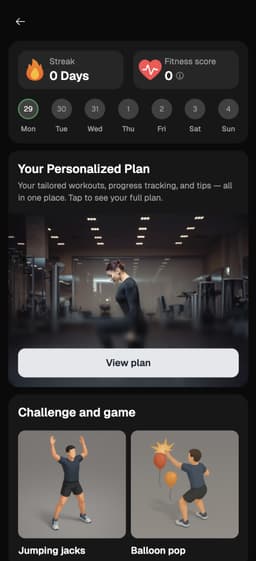
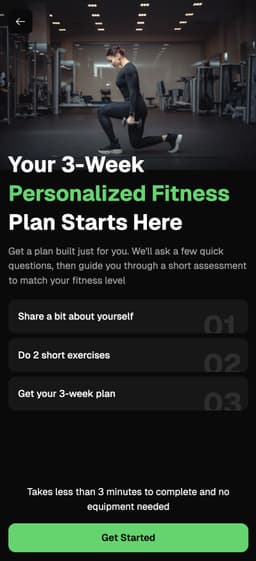
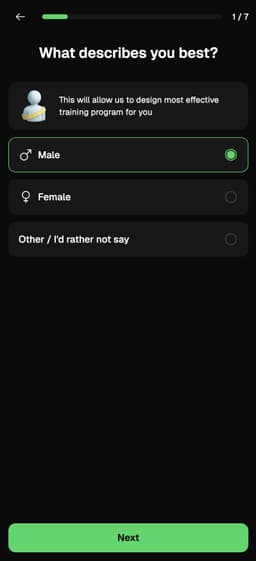
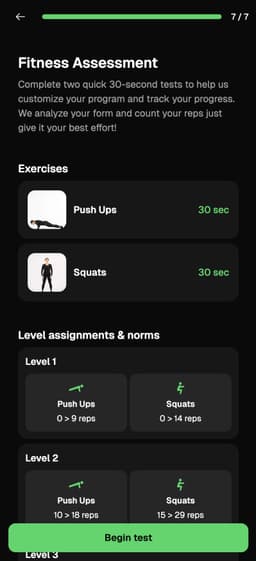
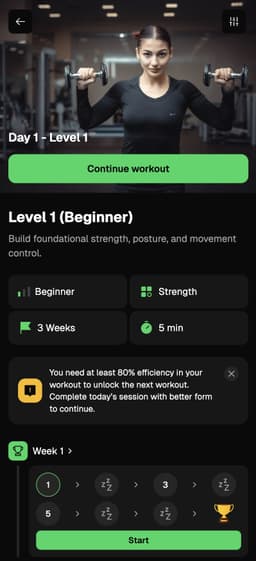
+SharedWorkout UI
Exercise tracking, stats & review
Define Plan Category
First, define the plan category for personalized fitness goals:
Swift example:
1// Plan category for personalized fitness goals
2@State private var planCategory: PlanCategory = .CardioDisplay Category View
Display the category-based view with real-time message handling:
Swift example:
1kinestex.createCategoryView(
2    planCategory: planCategory,
3    user: user, // optional: can be nil
4    isLoading: $isLoading,
5    customParams: ["style": "dark"], // dark or light theme
6    onMessageReceived: { message in
7        switch message {
8        case .kinestex_launched(let data):
9            print("KinesteX Launched: \(data)")
10        case .finished_workout(let data):
11            print("Workout Finished: \(data)")
12        case .exit_kinestex(let data):
13            showKinesteX = false // Dismiss the view
14        default:
15            print("Received \(message)")
16            break
17        }
18    }
19)
20// OPTIONAL: Display loading screen during view initialization
21.overlay(
22    Group {
23        if showAnimation {
24            Text("Aifying workouts...")
25                .foregroundColor(.black)
26                .font(.caption)
27                .frame(maxWidth: .infinity, maxHeight: .infinity)
28                .background(Color.white)
29        }
30    }
31)
32.onChange(of: isLoading) { newValue in
33    withAnimation(.easeInOut(duration: 2.5)) {
34        showAnimation = !newValue
35    }
36}Complete Example
Full implementation example with all required setup:
Swift example:
1import SwiftUI
2import KinesteXAIKit
3
4struct MainViewIntegration: View {
5    @State private var showKinesteX = false
6    @State private var isLoading = false
7
8    // Replace with your KinesteX credentials
9    let kinesteXKit = KinesteXAIKit(
10        apiKey: "YOUR API KEY",
11        companyName: "YOUR COMPANY NAME",
12        userId: "YOUR USER ID"
13    )
14
15    // Plan category for personalized fitness goals
16    @State private var planCategory: PlanCategory = .Cardio
17
18    var body: some View {
19        VStack {
20            Text("KinesteX Main View")
21                .font(.title)
22                .padding()
23
24            Spacer()
25
26            Button(action: {
27                showKinesteX.toggle()
28            }) {
29                Text("Open Main View")
30                    .font(.title3)
31                    .foregroundColor(.white)
32                    .bold()
33                    .padding()
34                    .frame(maxWidth: .infinity)
35                    .background(Color.green.cornerRadius(10))
36                    .padding(.horizontal)
37            }
38
39            Spacer()
40        }
41        .fullScreenCover(isPresented: $showKinesteX) {
42            kinestex.createCategoryView(
43                planCategory: planCategory,
44                user: nil,
45                isLoading: $isLoading,
46                customParams: ["style": "light"],
47                onMessageReceived: { message in
48                    switch message {
49                    case .exit_kinestex(_):
50                        showKinesteX = false
51                    default:
52                        print("Message received: \(message)")
53                    }
54                }
55            )
56        }
57    }
58}
59
60#Preview {
61    MainViewIntegration()
62}