

AI Experiences
AI-powered movement-based games and clinical assessments with real-time motion tracking.
AI Games:
| Game | Exercise ID |
| Balloon Pop | balloonpop |
| Color Chase | colorchase |
| Alien Squat Shooter | aliensquatshooter |
Clinical Assessments:
| Assessment | Exercise ID |
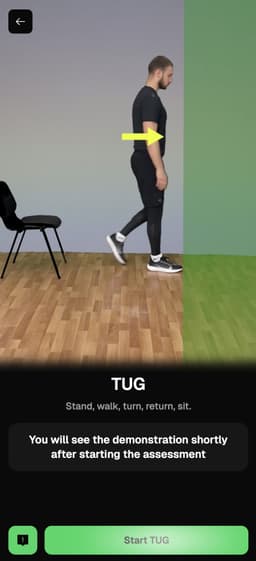
| Timed Up and Go (TUG) | tug |
| Gait Speed Test | gaitspeedtest |
| 30-Second Sit-to-Stand | sts |
| Functional Reach Test | frt |
| Single Leg Stance Test | sls |
| Five Times Sit-to-Stand | fivetimessts |
| Side-by-Side Stand | sbss |
| Semi-Tandem Stand | semitandemstand |
| Full Tandem Stand | fulltandem |
| Balance Test | balancetest |
| Pull-Up Test | pullups |
| Shoulder Range of Motion | romshoulder |
Balloon Pop rounds mode: reps sets the number of rounds and countdown the balloons per round (see Challenge mode). The Swift createExperienceView always sends its duration (default 60) as countdown, so pass duration: explicitly when you set reps.
Events: assessment_overview when the results screen opens, then assessment_completed (Finish, after which the experience's start screen shows again) or assessment_restart. Leaving an assessment mid-test posts assessment_exit (or assessment_exit_results when it shows partial results). Back from the start screen posts exit_kinestex. Fields per experience: Assessment overview.
Exercise tracking, stats & review
1// Launch an AI game or balance assessment
2// Pass the exercise ID from the tables above
3kinestex.createExperienceView(
4    experience: "assessment", // experience type
5    exercise: "balloonpop",   // exercise ID from table
6    user: nil,
7    style: IStyle(style: "dark"),
8    isLoading: $isLoading,
9    onMessageReceived: { message in
10        switch message {
11        case .exit_kinestex(_):
12            showKinesteX = false
13        default:
14            break
15        }
16    }
17)1import SwiftUI
2import KinesteXAIKit
3
4struct ExperienceIntegrationView: View {
5 @State private var showKinesteX = false
6 @State private var isLoading = false
7
8 // Initialize KinesteXAIKit
9 // Replace with your KinesteX credentials
10 let kinesteXKit = KinesteXAIKit(
11 apiKey: "YOUR API KEY",
12 companyName: "YOUR COMPANY NAME",
13 userId: "YOUR USER ID"
14 )
15
16 // Parameters for the experience
17 let experienceName = "assessment" // Name of the AI experience
18 let experienceExercise = "balloonpop" // Exercise ID from table
19
20 var body: some View {
21 VStack {
22 Text("KinesteX Experience Integration")
23 .font(.title)
24 .padding()
25
26 Spacer()
27
28 Button(action: {
29 showKinesteX.toggle()
30 }) {
31 Text("Start '\(experienceName.capitalized)' Experience")
32 .font(.title3)
33 .foregroundColor(.white)
34 .bold()
35 .padding()
36 .frame(maxWidth: .infinity)
37 .background(Color.teal.cornerRadius(10))
38 .padding(.horizontal)
39 }
40 .padding()
41
42 Spacer()
43 }
44 .fullScreenCover(isPresented: $showKinesteX) {
45 kinesteXKit.createExperienceView(
46 experience: experienceName,
47 exercise: experienceExercise,
48 user: nil,
49 style: IStyle(style: "dark"),
50 isLoading: $isLoading,
51 onMessageReceived: { message in
52 switch message {
53 case .exit_kinestex(_):
54 showKinesteX = false
55 default:
56 print("Message received: \(message)")
57 }
58 }
59 )
60 }
61 }
62}
63
64#Preview {
65 ExperienceIntegrationView()
66}